Kling 2.6 Pro + Kling 3.0 Standard

Motion Control AI — Free AI Motion Control Video Generator

Upload a character image and a reference motion video. Get a frame-accurate motion control video with synced dance moves, gestures, and expressions.

First time here? Read the beginner guide

See an example pipeline

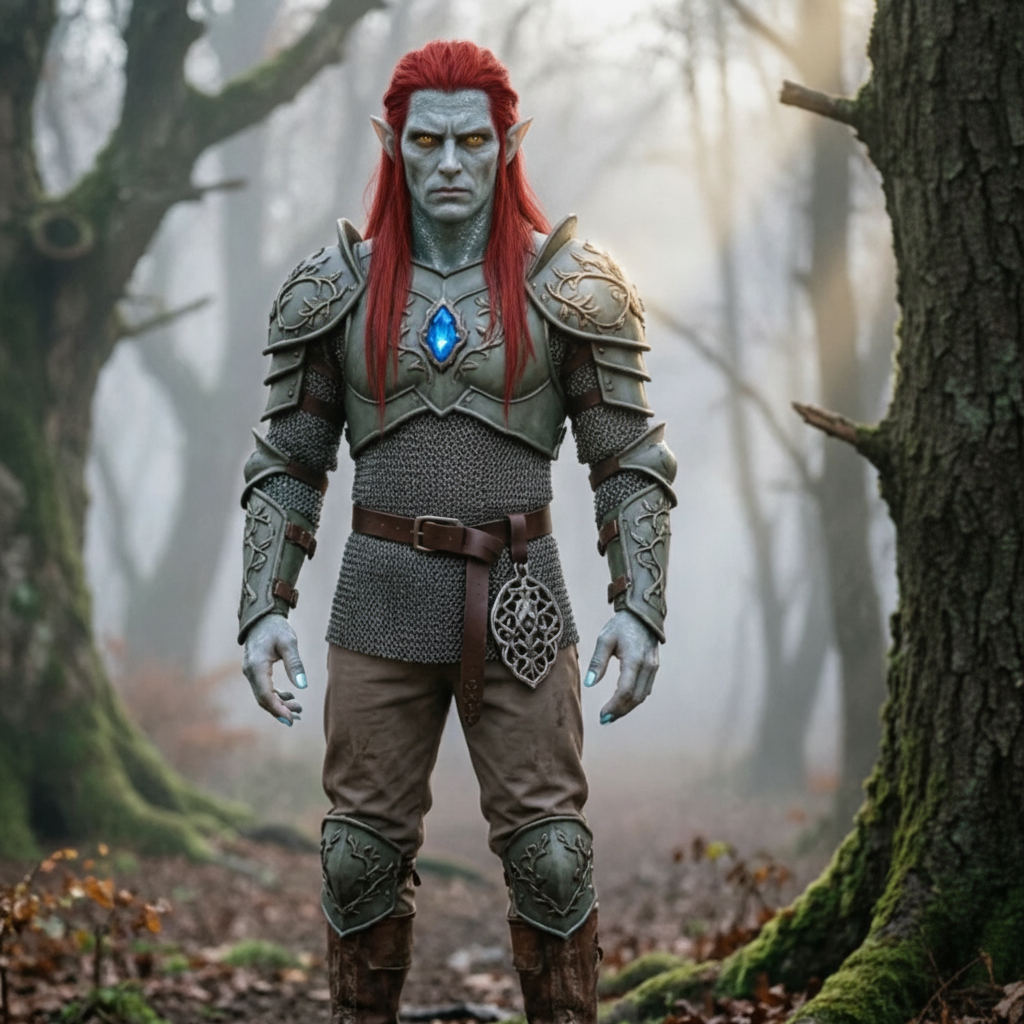
Character image
Character image
Reference motion
Motion control result

Create a Motion Control Video

Upload who you want to animate, then upload the movement you want them to copy.

Upload your character image

Drop a file here or click to choose one

JPG or PNG · 10 MB max · at least 300 px. A clear, unobstructed upper or full body works best.

Upload your movement video

Choose a short, clear motion clip

MP4 or MOV · 3–30 seconds · 10 MB max. Keep the moving person fully visible.

Tip: the person's head, torso, and arms must stay fully visible throughout the clip — otherwise generation will be rejected.

Video lengthNot uploaded

Allowed: 3–30s. The result follows this length.

Describe the background, lighting, and style. The uploaded video already provides the movement.

Sign in to Generate

Video Preview

Your movement clip appears here first. The generated video replaces it when ready.

Your video will appear here

Start by uploading a character image and a short movement video in the panel on the left.

Motion Control AI Use Cases

Explore how creators transfer real movement onto any character with Motion Control AI. Click any card to view the prompt and try it yourself.
Why Creators Choose Motion Control AI

  • Frame-accurate motion transfer powered by Kling 3.0: Every frame of your reference video maps to your character image. Body motion, gestures, and expressions transfer with frame-accurate precision — no jitter, no drift, no ComfyUI nodes.
  • Zero learning curve alternative to ComfyUI + AnimateDiff: No node graphs, no code, no ControlNet setup. Upload a character image and a reference video, choose a model and framing mode, then click generate.
  • Built for every motion control video use case: Create AI dance covers, VTuber animations, marketing character motion, gesture-driven tutorials, game cutscene prototypes, and social media content for TikTok, Instagram Reels, and YouTube Shorts.
  • Hand and finger tracking that doesn't break: Most AI video tools distort fingers during complex motion. Motion Control AI maintains articulation through multi-joint hand gestures and detailed finger movements.
How to create a motion control video with Motion Control AI

How to create a motion control video with Motion Control AI

01

Open the motion control generator

Open the Generator and start creating your motion control video.

02

Upload your character and reference video

Upload a JPG or PNG character image and a 3–30 second MP4 or MOV reference video. Each file must be 10MB or smaller and at least 300px wide and tall.

03

Generate and download

Choose Kling 2.6 Pro or Kling 3.0 Standard, decide whether framing follows the image or video, review the detected duration and credit cost, then generate and download.

Frequently Asked Questions

Motion Control AI transfers movement from a reference video to a character image. It supports Kling 2.6 Pro and Kling 3.0 Standard motion control, with no motion capture suit or sensors required.
Upload a character image and a 3–30 second reference video. Choose a model and whether framing follows the image or video, review the detected duration and credit cost, then click Generate. The reference supplies the movement while the character file supplies the appearance.
New accounts receive free credits on signup. Kling 2.6 Pro costs 1.6 credits per detected video second, and Kling 3.0 Standard costs 1.8 credits per second. The total shown before generation is rounded up to a whole credit.
No. You only need a supported character image and a reference motion video. The service processes both files online, so no suit, sensor, node graph, or dedicated studio is required.
Generation usually takes several minutes and can vary with video length and provider load. Keep this page open while the preview shows the current processing state.
Character images support JPG, JPEG, and PNG. Reference videos support MP4 and MOV and must be 3–30 seconds long. Each input must be 10MB or smaller, at least 300px wide and tall, and have an aspect ratio between 1:2.5 and 2.5:1.
Yes. All paid plans include full commercial rights without restrictions. Use your motion control video for YouTube, client work, advertising, e-commerce, or any commercial purpose. You retain full ownership of everything you create, and reference videos are automatically deleted after generation completes.
Motion Control AI powered by Kling 3.0 separates identity from motion data, so movements come from the reference while appearance stays faithful to your character across every frame. It maintains consistent look even during complex multi-joint movements, and handles hand gestures and finger articulations that most AI video tools get wrong.
You can choose Kling 2.6 Pro or Kling 3.0 Standard. Kling 2.6 Pro uses fewer credits. Kling 3.0 Standard provides higher-fidelity motion transfer and limits Image Framing reference videos to 10 seconds.
Yes. Hand and finger tracking is one of Motion Control AI's key differentiators. While most AI video tools produce distorted fingers during complex motion, Kling 3.0 maintains articulation through multi-joint movements — making it ideal for dance covers, sign language content, and detailed gesture-driven performances.
Motion control transfers a full sequence of continuous movement (dance, gestures, expressions) from a reference video to a character image over time. AI pose transfer focuses on applying a specific skeletal pose or posture. Motion Control AI handles both — full motion sequences frame-by-frame, plus precise AI pose transfer for static posture replication.
Kling 2.6 Pro costs 1.6 credits per detected second and Kling 3.0 Standard costs 1.8 credits per second. For example, a 10-second video costs 16 or 18 credits. The total is rounded up and shown before you generate.
Yes. Use Image Framing when you want the character image to define the composition, or Video Framing when you want the reference video's composition and camera movement. The output framing follows that choice rather than a separate aspect-ratio selector.

Contact Motion Control AI

Need help with billing, motion control quality issues, or a support question about AI pose transfer? Reach us anytime at [email protected].

Create Your Next Video with Motion Control AI

Upload a character image and a 3–30 second reference motion video. Choose Kling 2.6 Pro or Kling 3.0 Standard, then let Motion Control AI copy the movement to your character. Free credits are available; no credit card is required.